BayOS for home sims

Get more out of the sim you already own.

Your simulator already hits the shots. BayOS adds what it's missing: lines on the floor, a setup that works every time, and a few more things on the way.
Runs on your sim PCWorks with GSProNo OBS
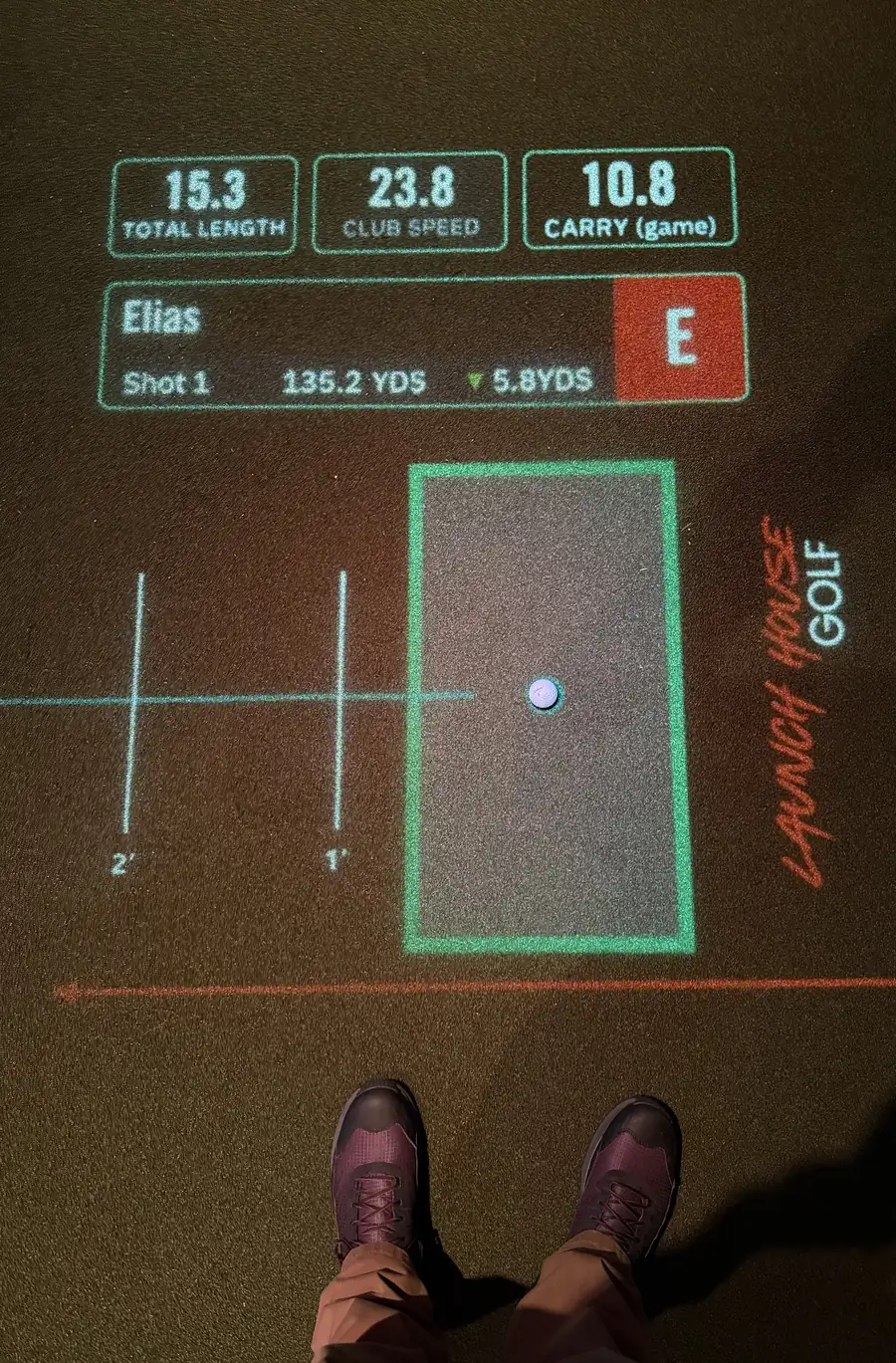
Looking down at a home mat: club speed, carry and total length projected above the ball, a hitting box and distance lines at 1 and 2 feet
Club speed23.8mph
Total length15.3ft
ModePutt
SimFloor

Every shot lines up. Every putt tells you something.

Your sim shows where the ball went. SimFloor shows you how to set up the next one, right on the mat, and turns the repetition into muscle memory you take to the course.

  • Better habits, faster. Alignment sticks, stance width and ball position guides on every swing.
  • Putting that finally works on a sim. A start line, gates and distance marks, matched to the green on the screen.
  • Live numbers at your feet. Club speed, carry and your score after every shot.
  • No OBS rabbit hole. Guided setup and calibration, and it comes back on its own after a reboot.
21 training aidsTempo trainerRandom puttsPutt modeLefty flipAny projector mount

Coming soon A camera putt tracer that draws the ball's path as it rolls.
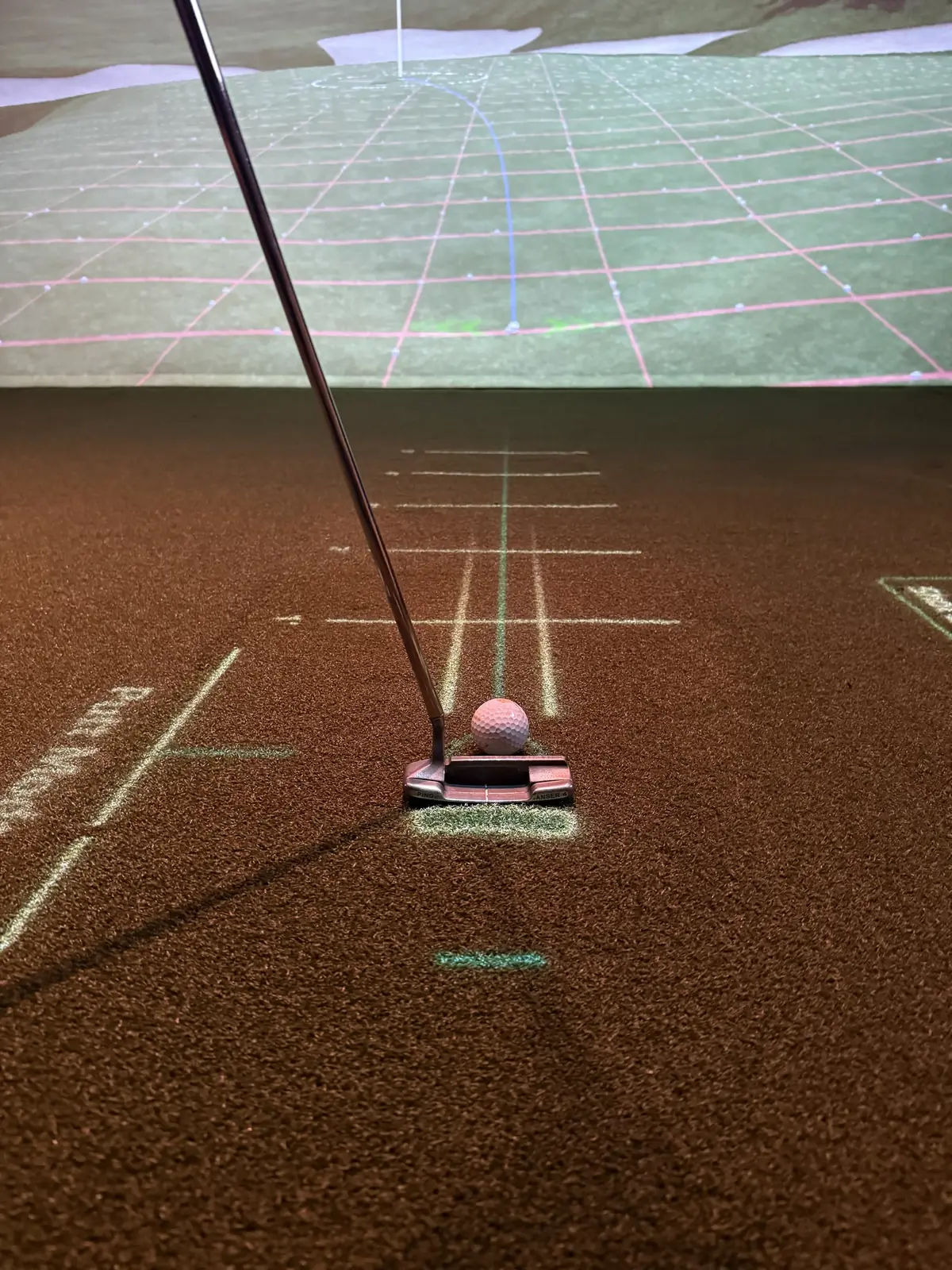
A putter behind the ball at address, with a projected start line, rails and distance marks on the mat running toward the screen
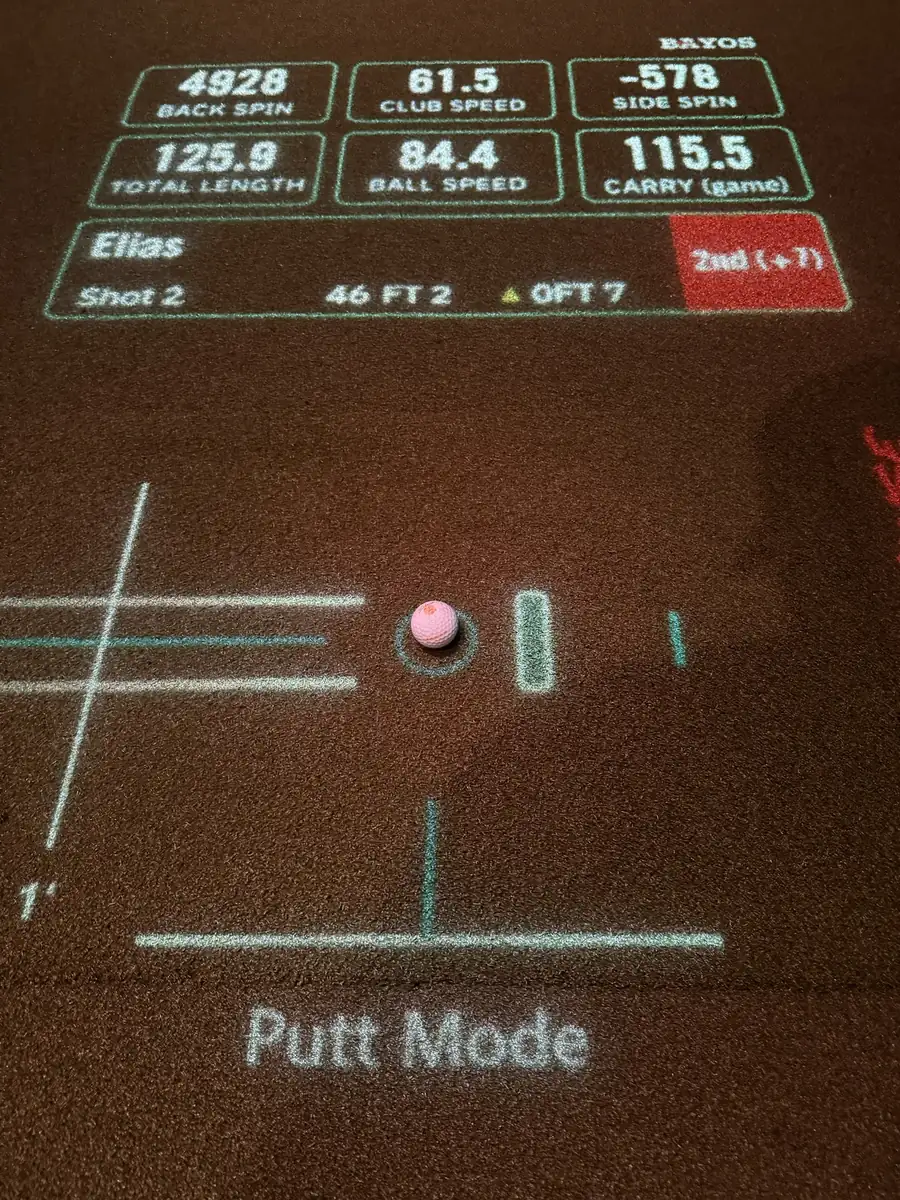
Putt mode on the mat: shot data panel, ball marker, a putting gate and distance lines
Putt modeGate, start line and distance marks for every putt.
Your score, on the floorName, shot and distance to the pin.
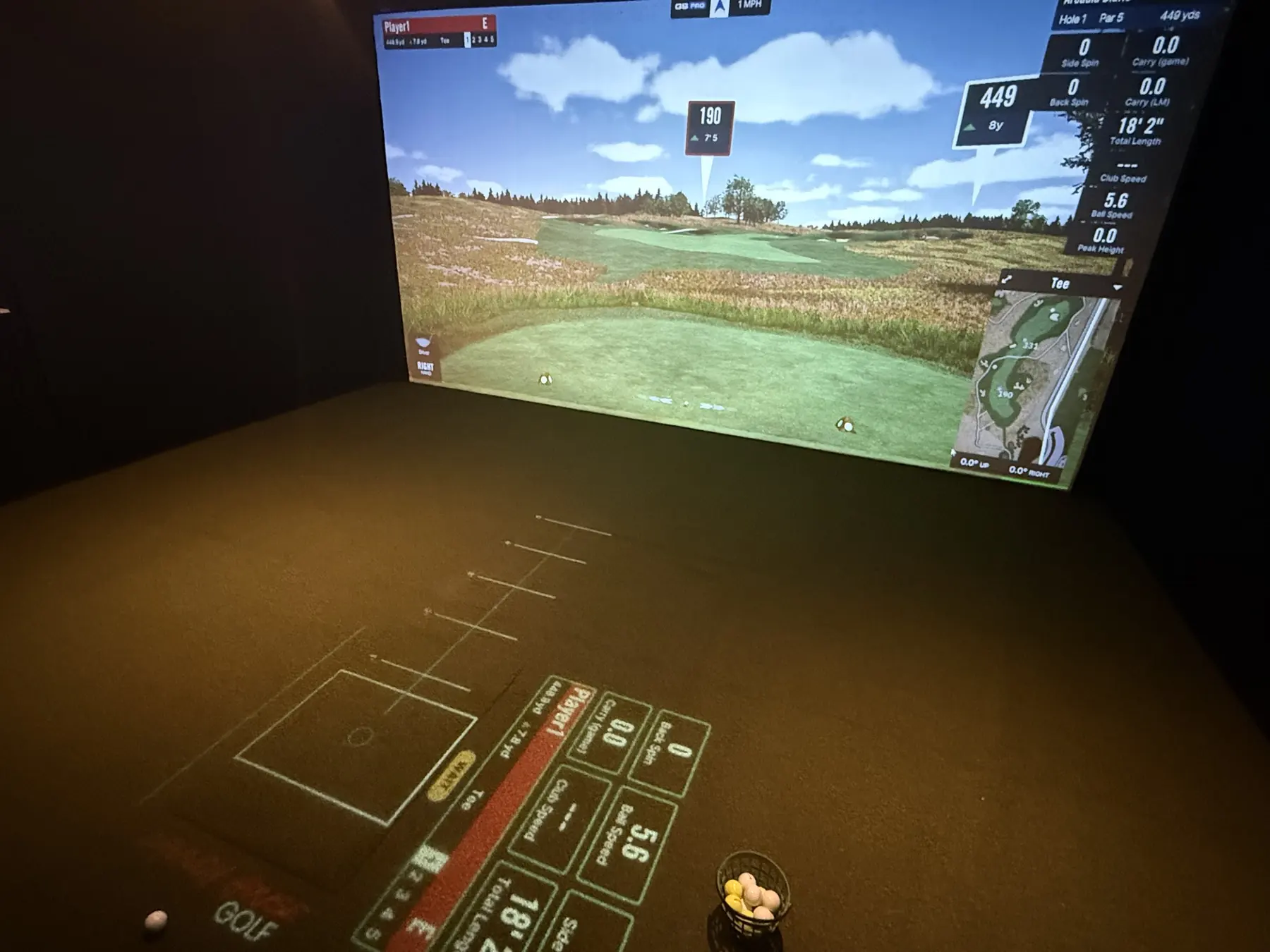
A golf simulator bay: GSPro on the screen and the shot data, hitting box and distance marks projected on the floor in front of it
Floor and screen, one system. SimFloor follows your launch monitor and GSPro, so the floor changes with every shot.
Inside SimFloor

Set it up once. Then design your own floor.

Nine guided steps take you from your screens to a calibrated floor. Then Floor Studio lets you build any layout you want, for every moment of a shot.

  1. 1Screens
  2. 2Projector
  3. 3Calibrate
  4. 4Camera
  5. 5Ball & zone
  6. 6Grab tiles
  7. 7Putting
  8. 8Floor Studio
  9. 9Go live
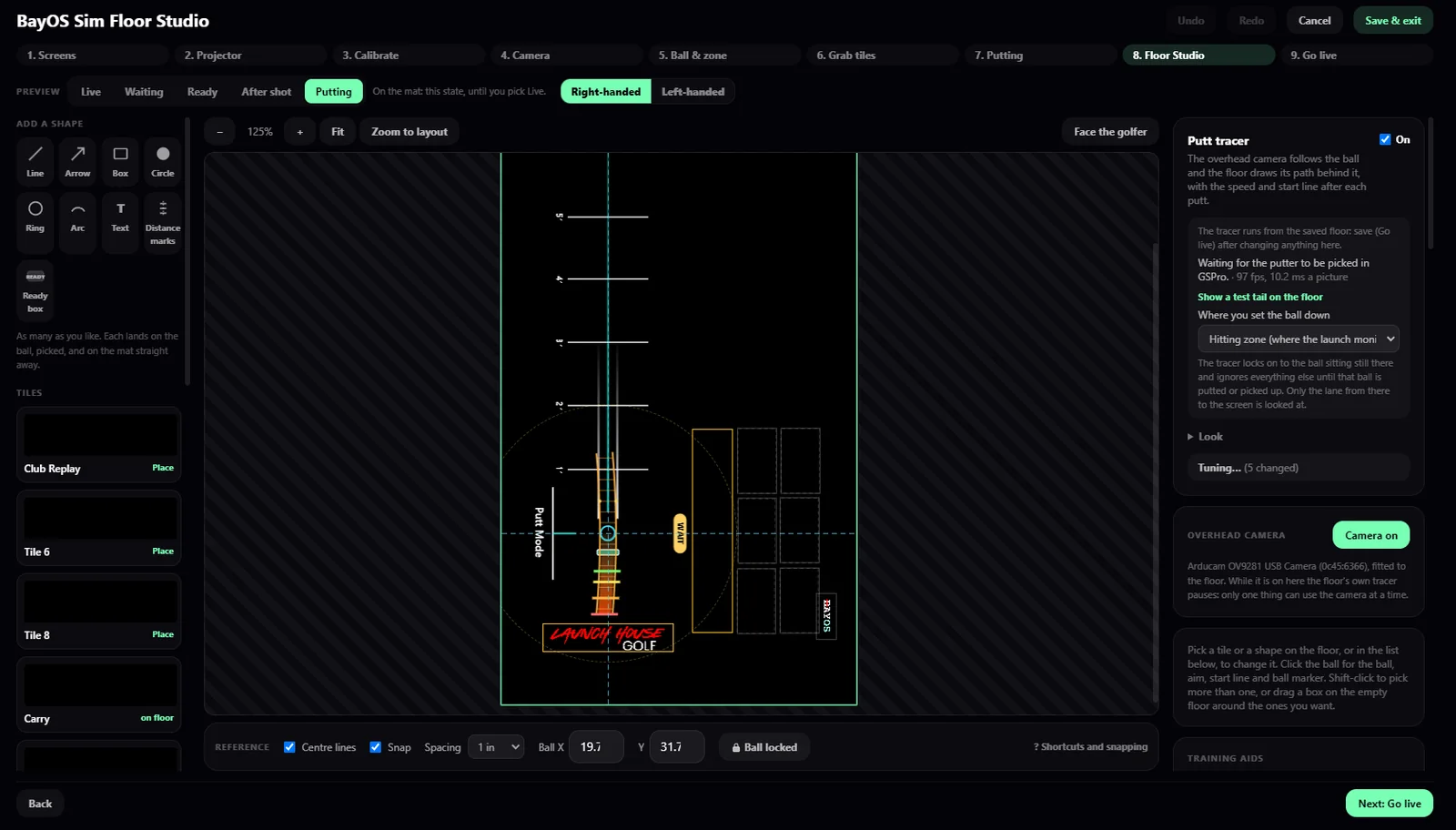
The real SimFloor Floor Studio: a putting layout with a putting stroke station, distance marks and the putt tracer settings
Floor StudioDrag shapes, tiles and training aids onto the mat, and pick what shows while you wait, set up, putt and after the shot.
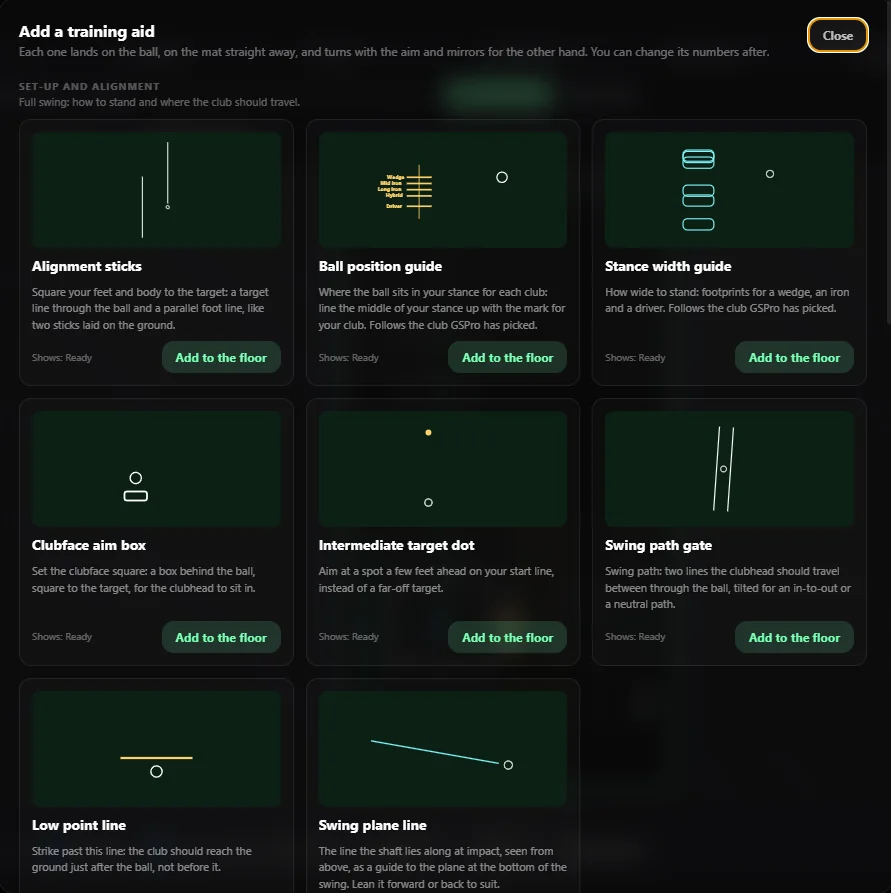
SimFloor's training aid picker: alignment sticks, ball position guide, stance width guide, clubface aim box, intermediate target dot, swing path gate, low point line and swing plane line
21 training aidsOne click puts each one on the mat, lined up with the ball. They follow the club GSPro has picked and mirror for lefties.
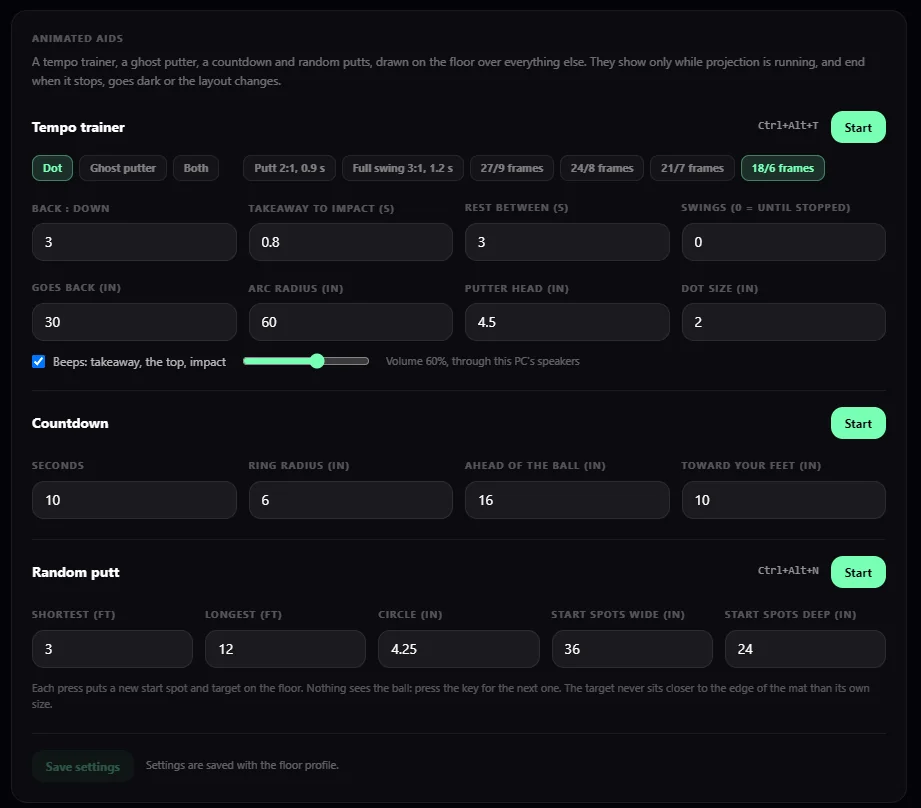
SimFloor's animated aids: a tempo trainer with a dot or ghost putter and beeps, a countdown, and random putts
Drills that moveA tempo trainer with a ghost putter and beeps, a countdown, and random putts from 3 to 12 feet.
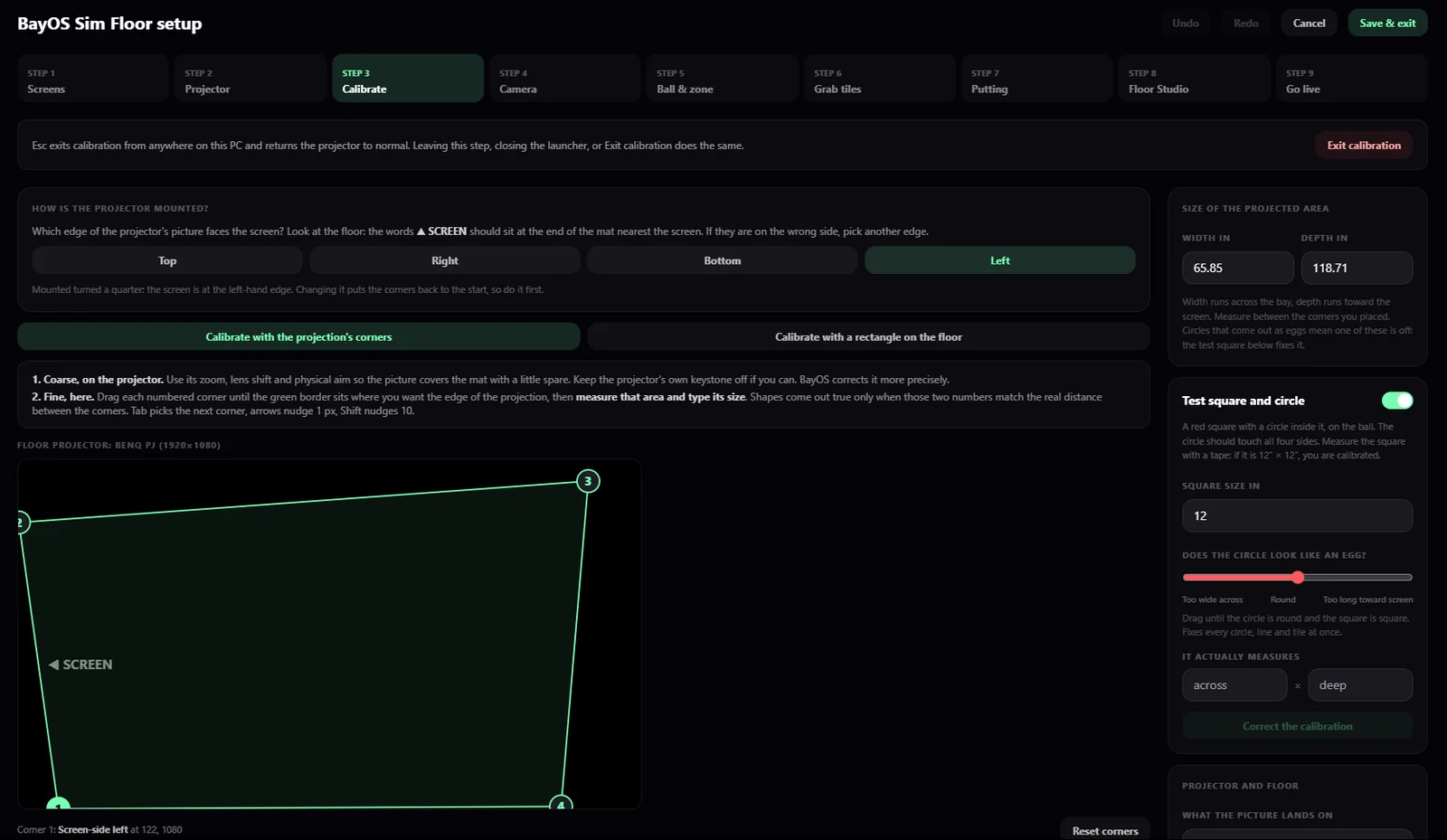
SimFloor calibration: drag the four corners of the projection to the mat's edges, then type the measured size
Calibrated with a tape measureDrag four corners, type what you measured, and check it with a 12-inch test square. Lines come out true to scale.
A sim that just works

One button. The whole bay.

The worst part of a home sim isn't the golf. It's the twenty minutes of Windows, USB and "why won't it connect". BayOS checks all of it before you swing.

  • One button turns everything on. PC, projector, sim software and the rest of the bay.
  • Check my sim, in one tap. GSPro, your launch monitor software and the link between them, the screens, the internet and the PC, checked in one go.
  • One-tap fixes before a small problem ruins a session, and remote help from BayOS when you want it.
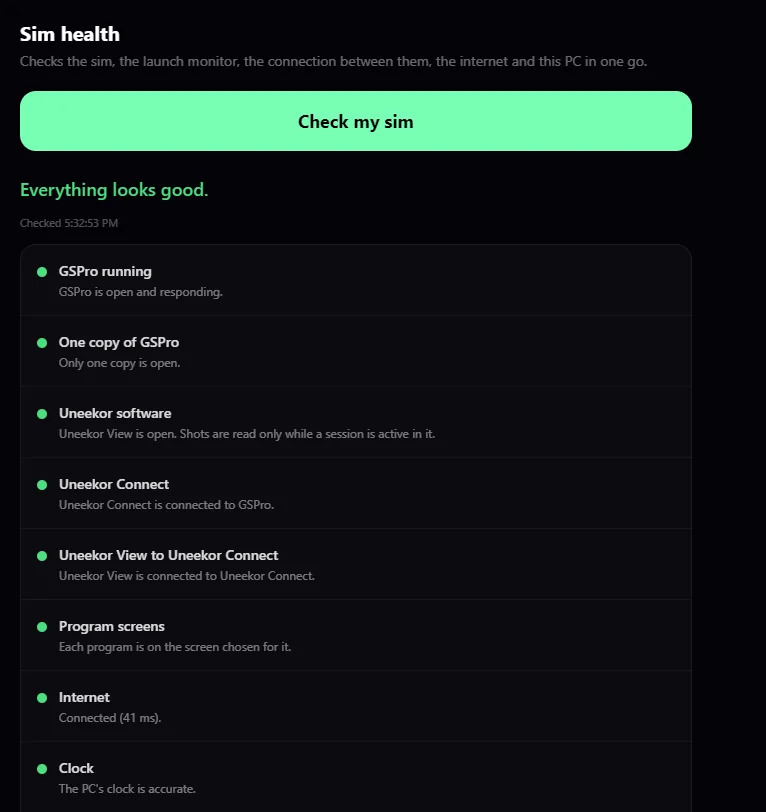
The real BayOS Sim Health check: Everything looks good. GSPro running, one copy of GSPro, Uneekor software, Uneekor Connect, Uneekor View to Uneekor Connect, program screens, internet and clock, all passed
Ready to playAll checks passed. Have a good round.
Shot insights

Know how you're really playing.

Every shot saved to your profile, with club averages, dispersion and a report after every session. Track a BayOS sim handicap from the rounds you choose to count.

  • Per-club averages and gapping, so you know your real numbers.
  • A session report after every range session or round.
  • A BayOS sim handicap worked out the World Handicap System way, from your full rounds.

Uneekor with GSPro today. TrackMan and ProTee are in testing.
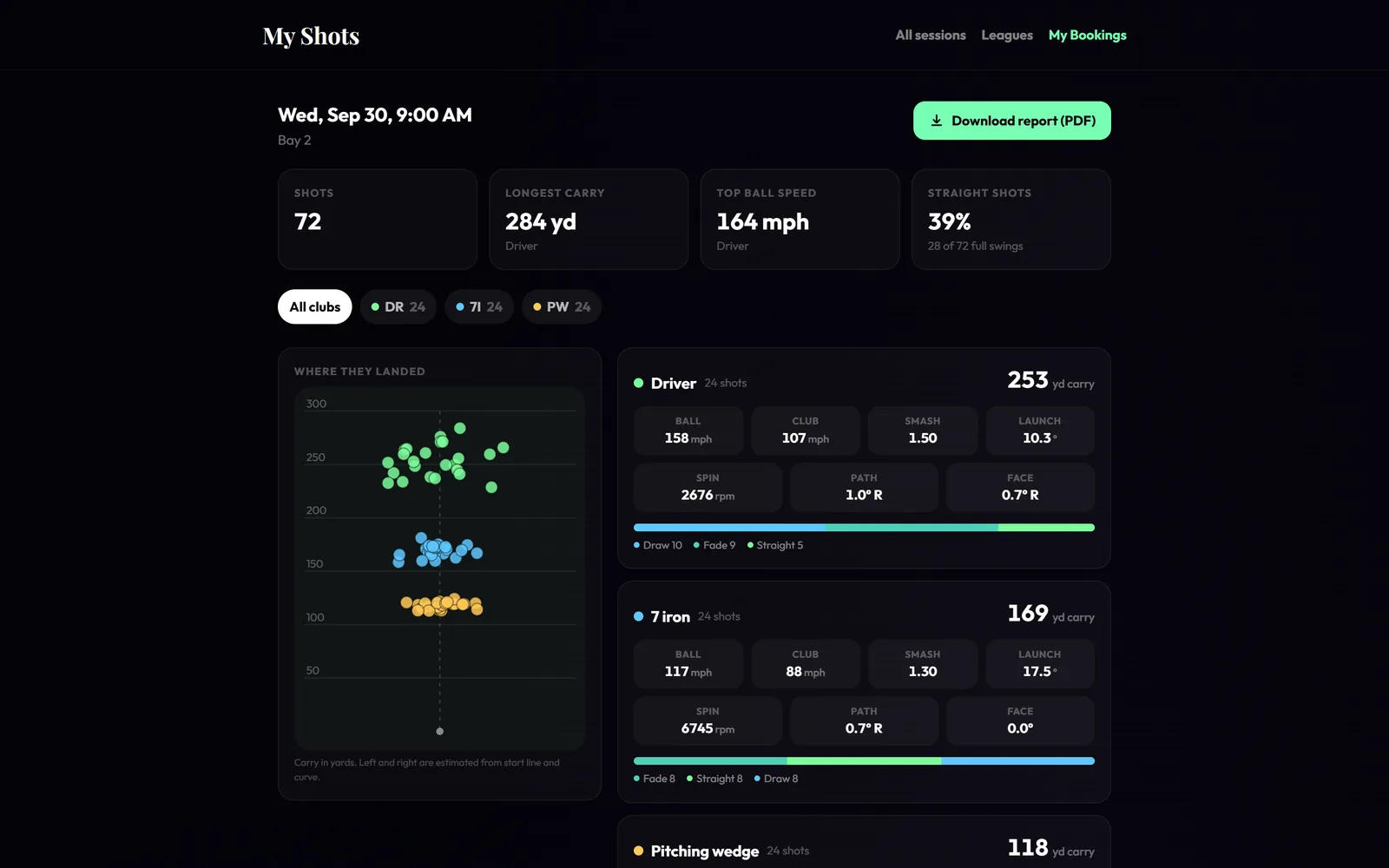
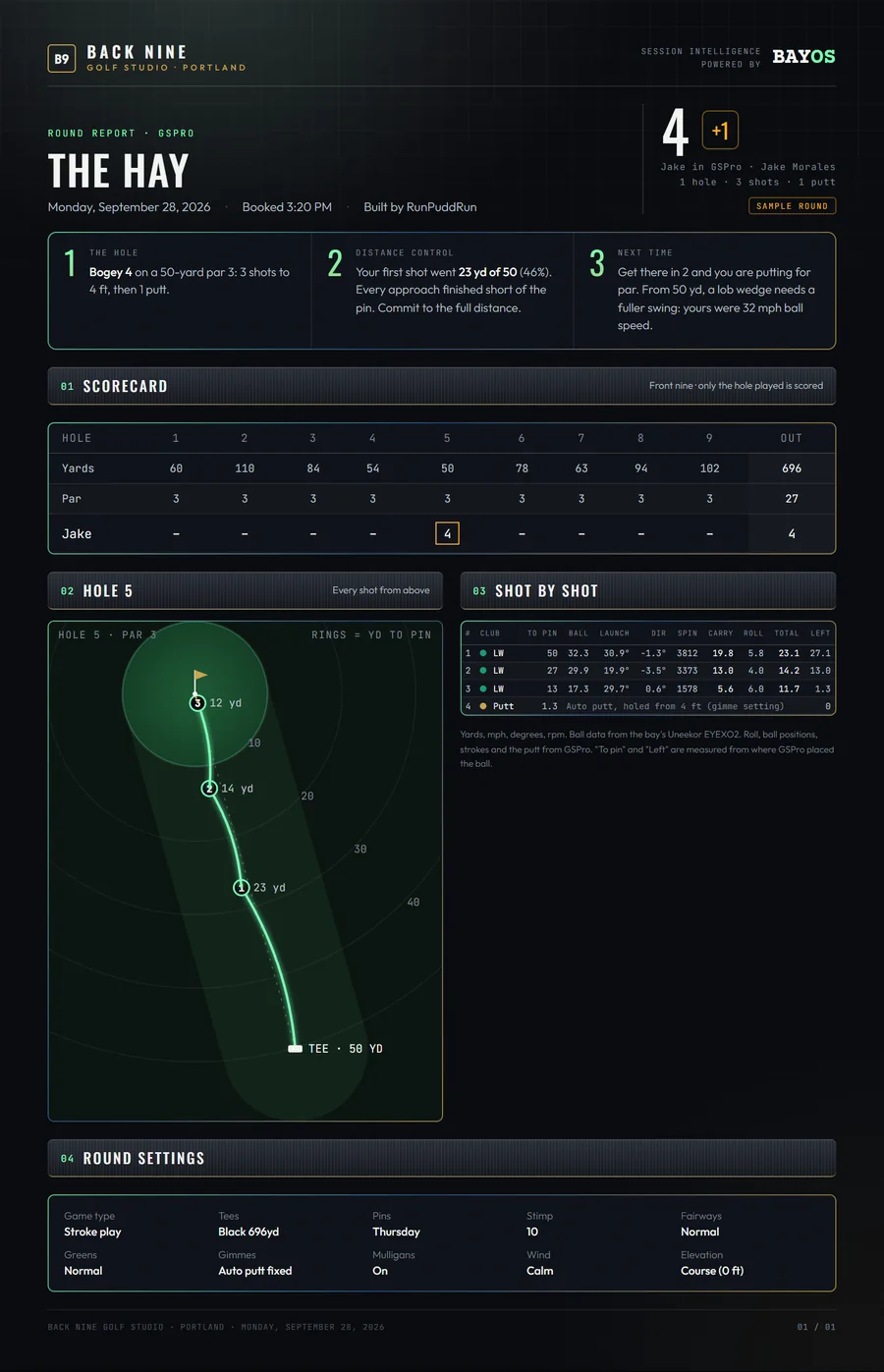
A real BayOS session report: shots, club averages and dispersion, with sample data
A BayOS round report on a phone, hole by hole, with sample data
BayOS

Sim Coach

Coming soon
What you need

Built for the setup you already have.

Your Windows sim PCBayOS installs on the PC that already runs your sim software.
A projector over the matFor SimFloor. Any mount works, and setup walks you through calibration.
Nothing else to buyNo capture software and no scene setup. BayOS handles it.
Join the beta

Be first on the floor.

The SimFloor beta is opening to a small group first. Beta users get the download and early access to new features, and we'll email you as each one ships.

We only email you about BayOS.

Run a simulator business? Booking, Sim Agent, SimCast and Sim Control run 24/7 studios.

See BayOS for commercial