Your mat just became part of the game.
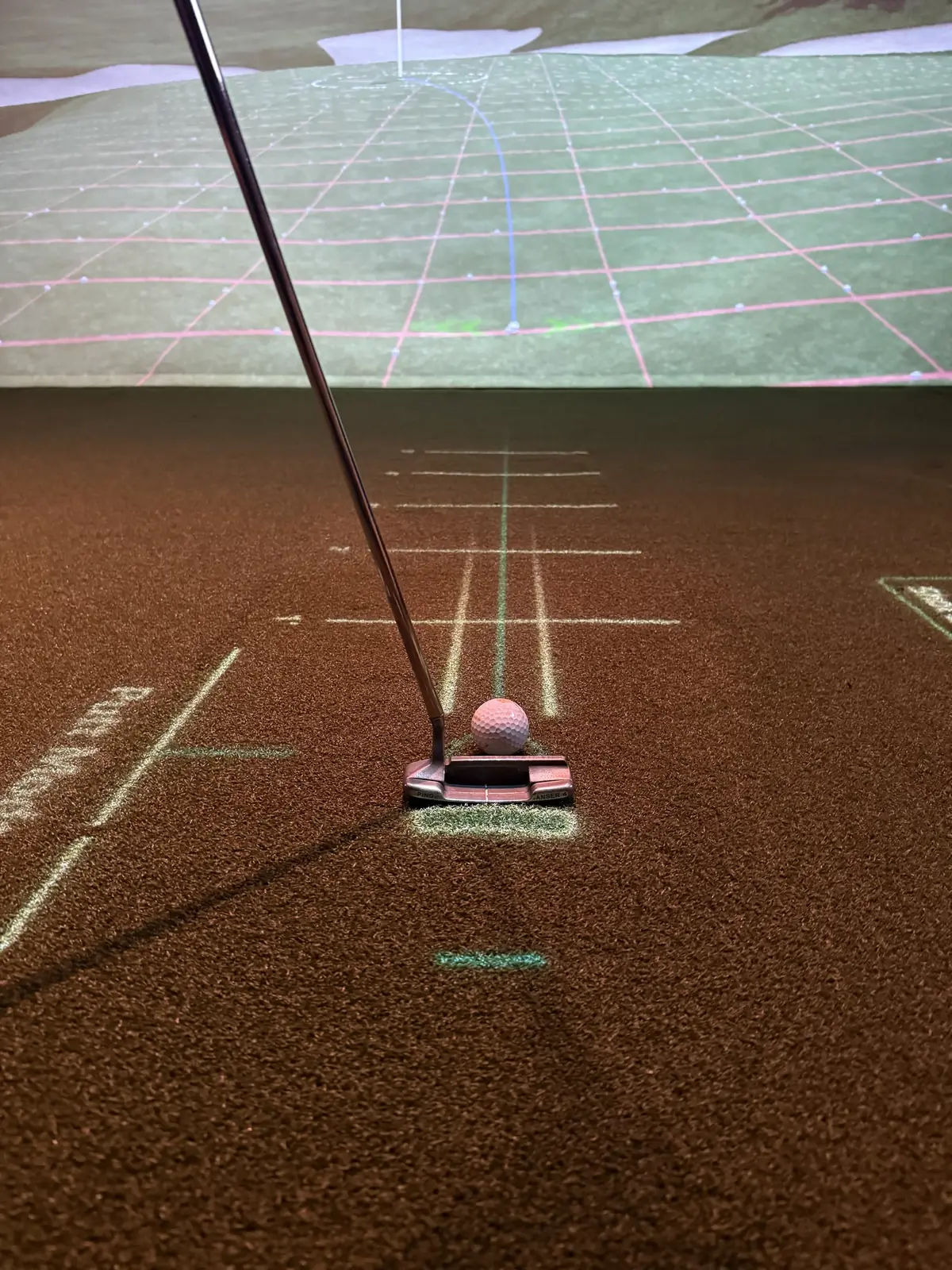
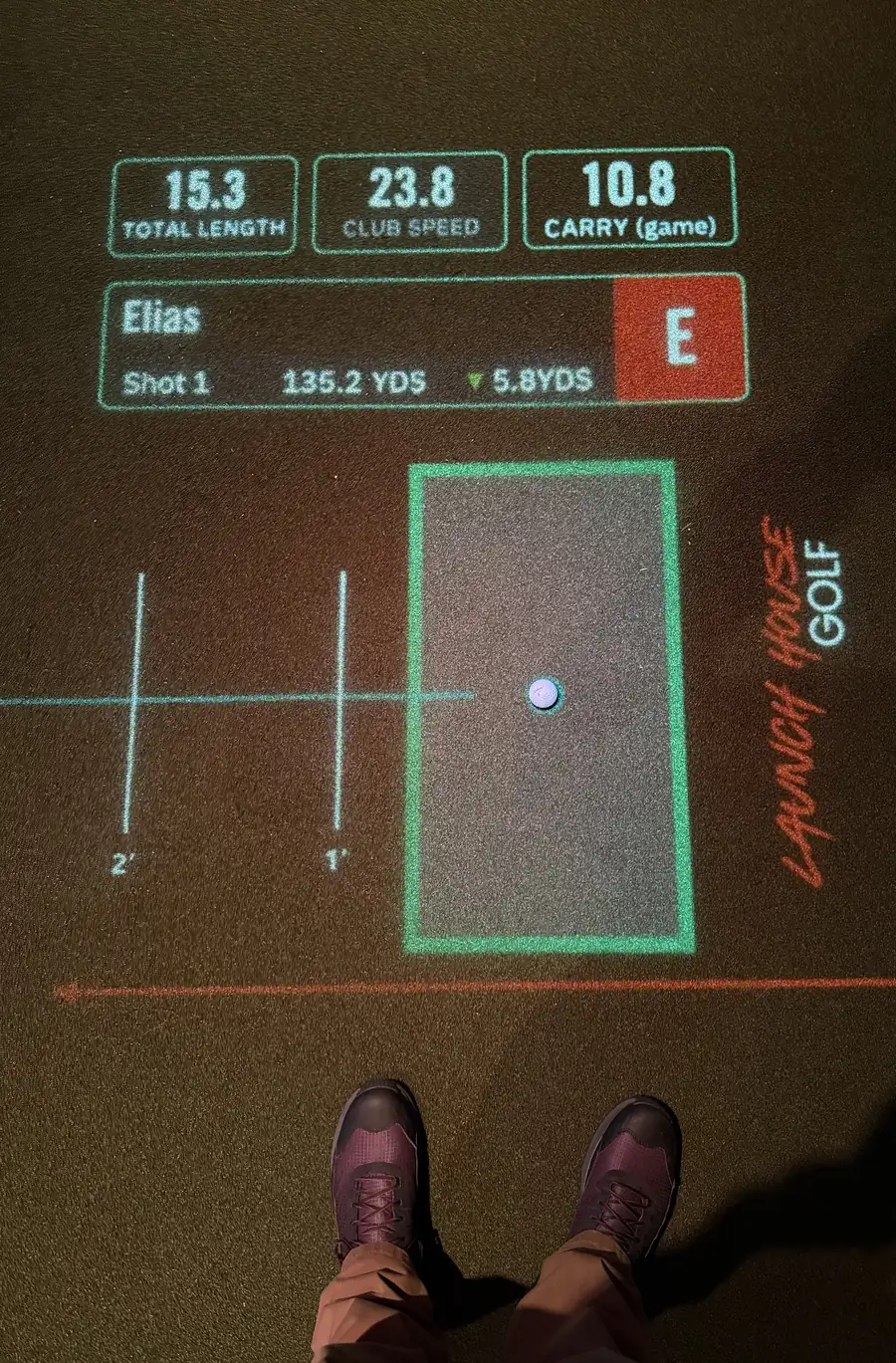
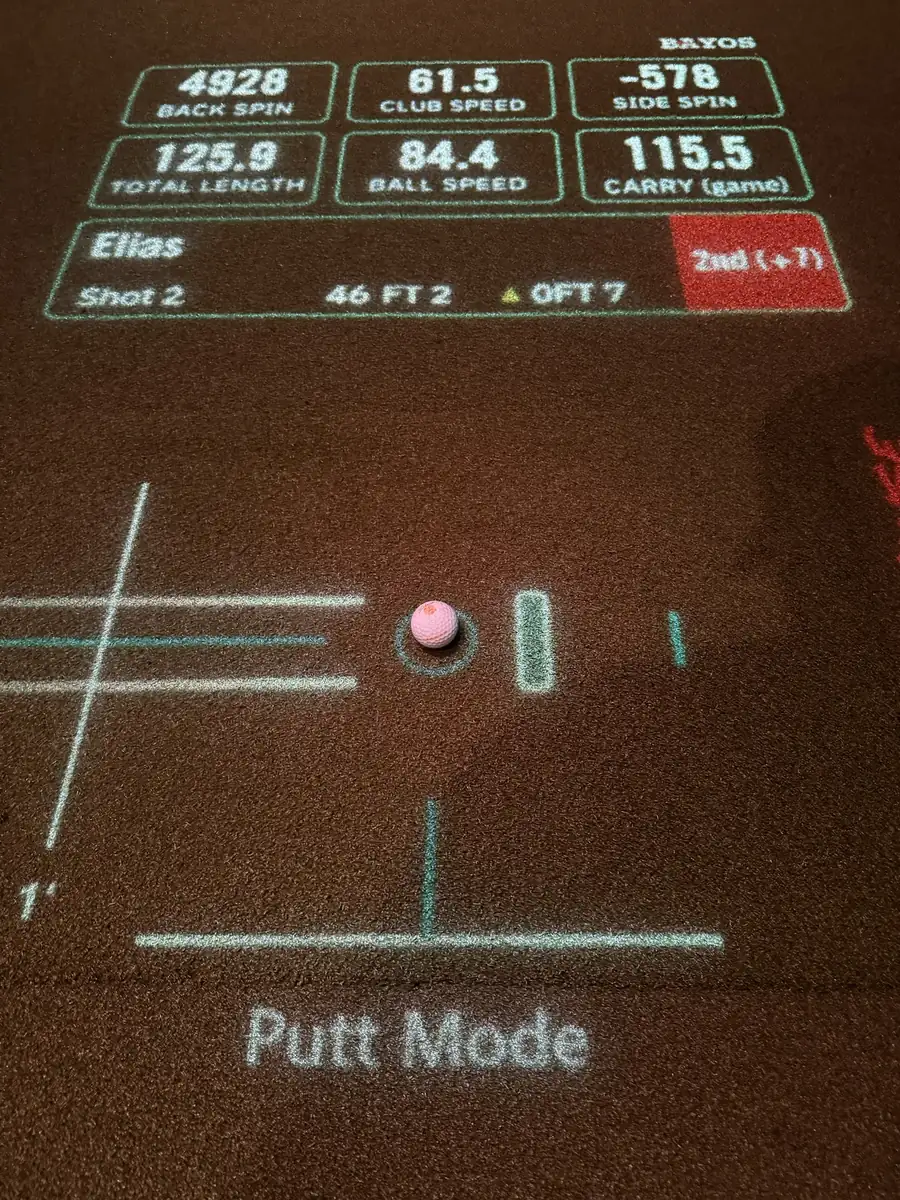
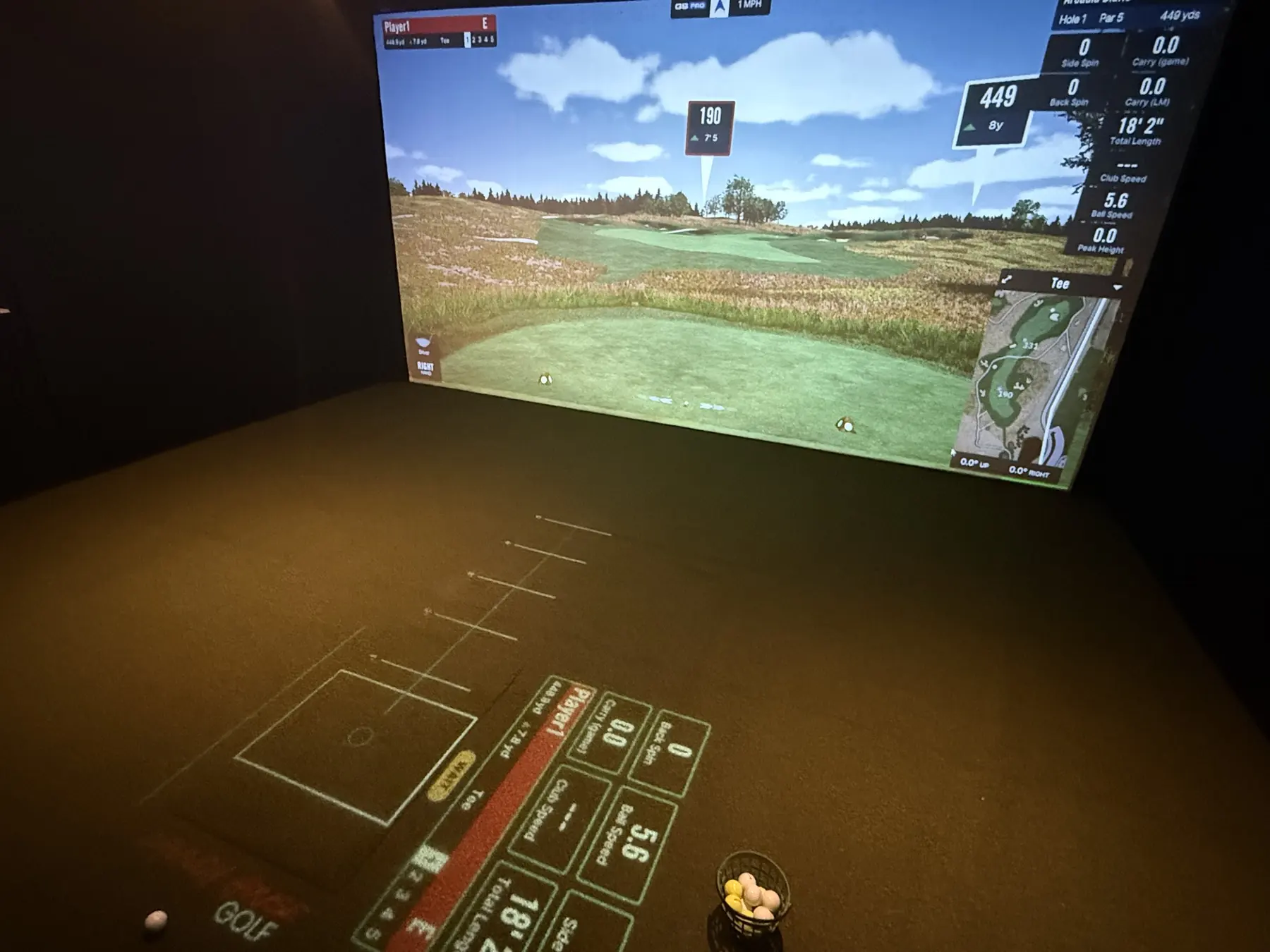
SimFloor projects start lines, putting gates and live shot data onto the mat under your ball, true to scale. Line up the same way every time, and watch it show up on the course.
Run a 24/7 sim studio without being on call.
For indoor golf facilities, unmanned studios and venues with bays. BayOS takes the booking, opens the door, preps the bay, answers your customers and sells on the screen.
Get more out of the sim you already own.
For home and garage simulators. Start with SimFloor: start lines, putting gates and live data on your mat.
Six products.
One system.
Each one works on its own. Together, they run the whole simulator, from the first text to the last swing.
Start lines, gates and live data on your mat.
Explore Sim AgentCommercialA virtual assistant that runs your facility.
Explore SimCastCommercialBroadcast graphics and ads on the sim screen.
Explore Sim ControlCommercialLights, projectors, TVs and PCs, on cue.
Explore BookingCommercialOnline booking, payments and door codes.
Explore SoonSim CoachHome · CommercialComing soon.
ExploreEvery shot lines up. Every putt tells you something.
Your simulator shows where the ball went. SimFloor shows you how to set up the next one, right on the mat, and turns the repetition into muscle memory.
- Better habits, faster. Alignment sticks, stance width and ball position guides on every swing.
- Putting that finally works on a sim. A start line, gates and distance marks, matched to the green on the screen.
- Live numbers at your feet. Club speed, carry and your score after every shot.
- No OBS rabbit hole. Guided setup and calibration, and it comes back on its own after a reboot.
The employee that never clocks out.
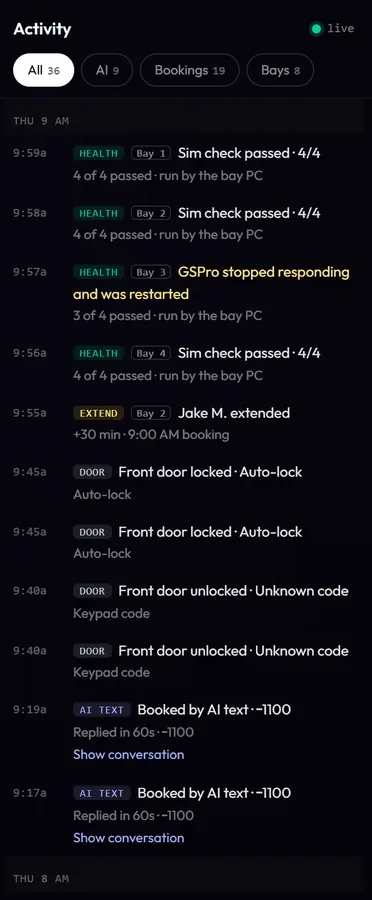
A virtual assistant that runs your facility. It answers the phone, responds to texts, answers questions about your facility, holds bays, sends payment links, and turns your simulators on and off based on when they're booked.
- Answers the phone and every text. Hours, prices, open bays and anything else about your facility, at 2 PM or 2 AM.
- Holds bays and sends payment links. The customer pays on their phone and the door code follows.
- Turns your simulators on and off with your bookings. Every bay is ready before the guest arrives and off after they leave.
- Keeps every sim healthy. Crashed software restarts on its own, and it only calls you when it can't fix something.
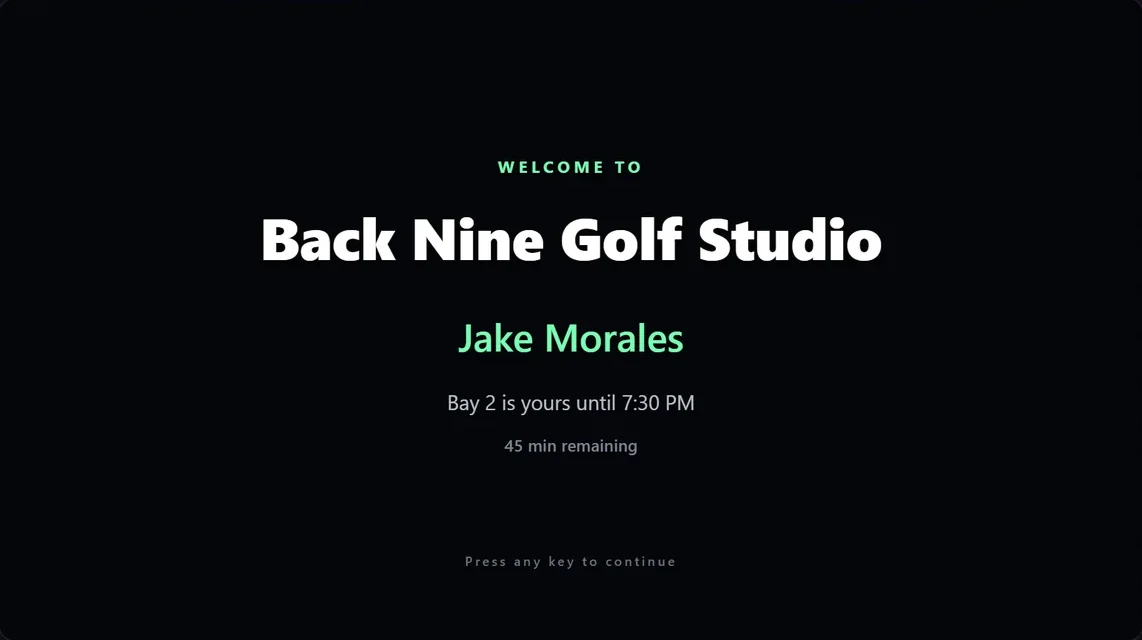
Turn the screen everyone stares at into revenue.
Every guest watches the sim screen for an hour. SimCast puts broadcast-style graphics on it, timed to each booking: the welcome, the clock, the upsell and the ad.
- Extension offers that sell themselves. When the bay is free after, a QR code on the screen lets guests add 30 minutes from their phone.
- Local sponsor ads with proof of every play, so sponsors renew.
- Welcomes, timers, tips, promotions and QR codes, designed in the portal, put in rotations, and shown on the screens and at the moments you choose.
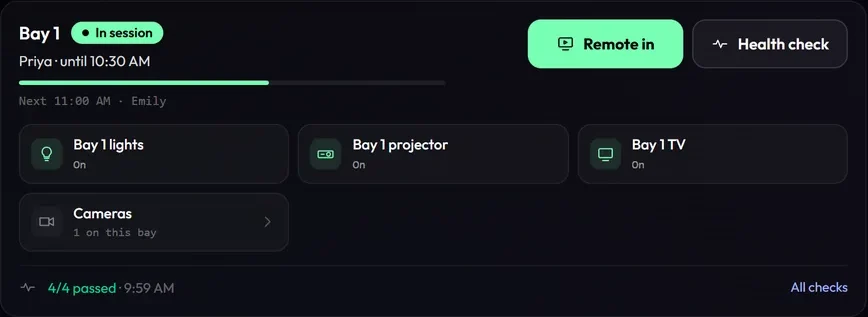
One booking turns on the whole bay.
Lights, projectors, TVs and PCs follow your bookings. On before the guest arrives, off after they leave. Less power, less wear on gear you paid thousands for.
- Smart plugs, IR blasters and network devices. Kasa, Tapo, Roku and Wake-on-LAN, with TVs switching to live TV on their own.
- Remote in from your phone. Any bay PC, one tap away. No more driving over to restart a PC.
- Idle shutoff. If a guest leaves early, the bay shuts down without you.
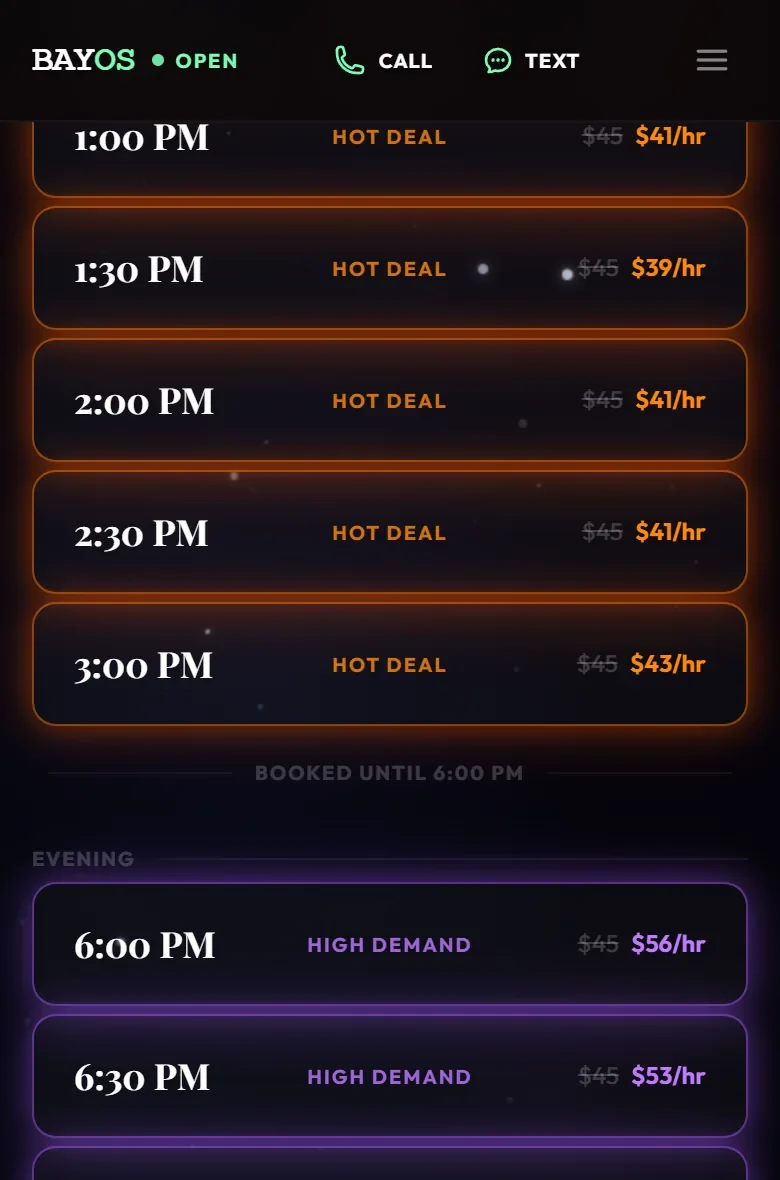
Booked, paid and through the door. Without you.
The booking site your customers actually enjoy using, with payments, memberships and door codes built in.
- Square or Stripe. Keep your processor and import your customers and members.
- A door code for every booking, texted before tee time and valid only for that booking. RemoteLock, with Kisi in beta.
- Prices that follow demand. Hot deals for slow hours, high-demand pricing for busy ones, never below your floor.
Hi Jake, your door code for Bay 2 tonight:
4417#Sim Coach
Coming soonSix products. One system. That's BayOS.
Runs on the PC, launch monitor and GSPro you already have. Start with one product, or run the whole bay.
Run a 24/7 studio without being on call.
Booking, Sim Agent, SimCast, Sim Control and SimFloor, on every bay. Every new facility gets 30 days of everything.
Book a 20-minute demoStart with SimFloor.
The beta is opening to a small group first. Beta users get the download and every new feature first.
Join the SimFloor beta